
SMART HOME GUIDE • PAKISTAN
Smart Home Automation in Pakistan
A practical guide to connected lighting, curtains, sensors, security and everyday control. Learn how smart home automation in Pakistan works, compare Zigbee and Wi-Fi, and plan the right system before selecting products.
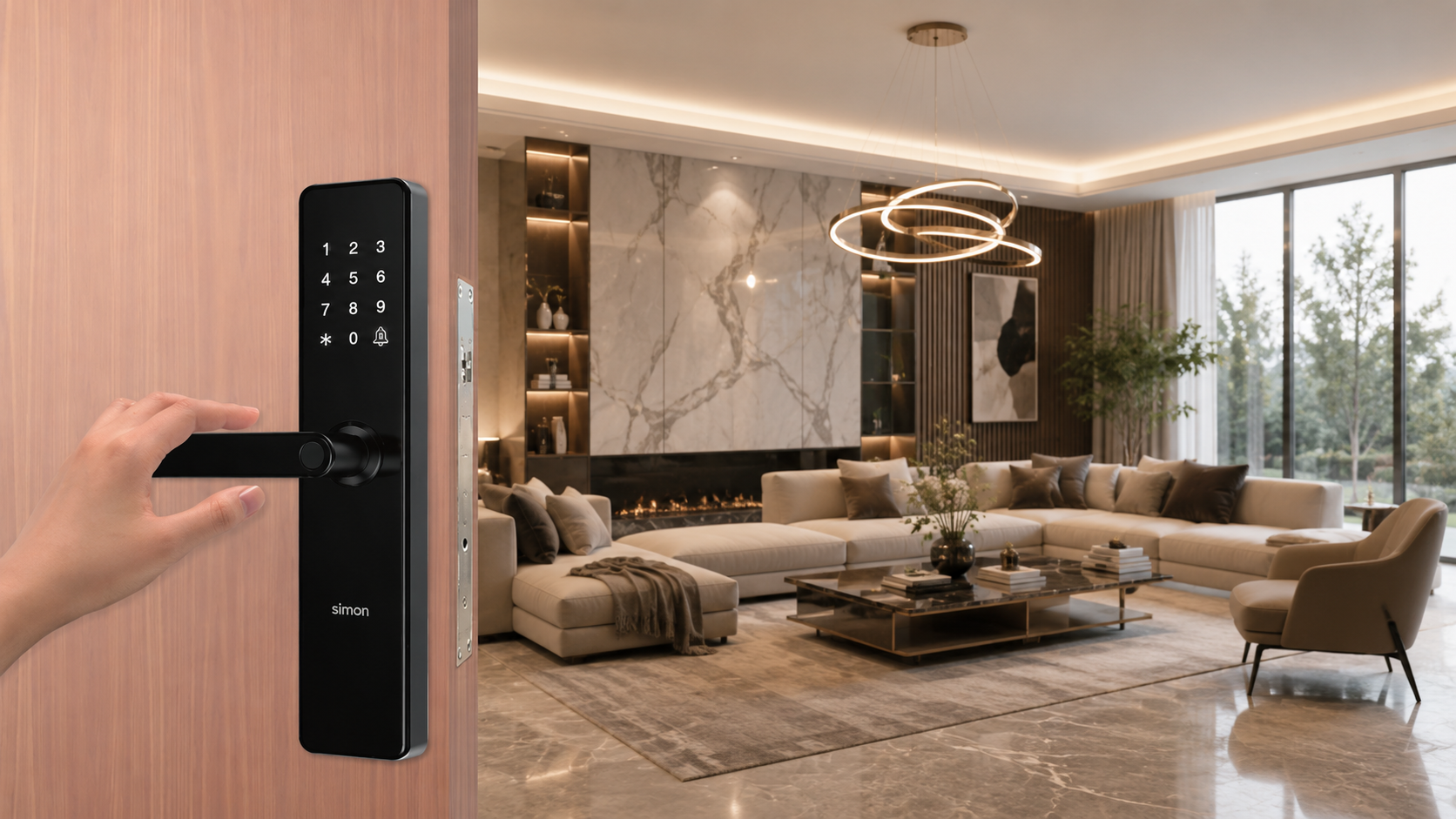
A SIMPLE DEFINITION
What Is Smart Home Automation?
Smart home automation connects compatible devices so they can be controlled together. Instead of operating every light, curtain or sensor separately, you can use a wall switch, mobile app, voice command, schedule or automatic rule.
The important word is automation. A connected device becomes more useful when it can respond to time, occupancy or another event without repeated manual action.
- Manual control stays available through compatible wall switches
- Remote control is possible through supported apps
- Schedules repeat useful actions at set times
- Sensors can trigger compatible lights, alerts or scenes
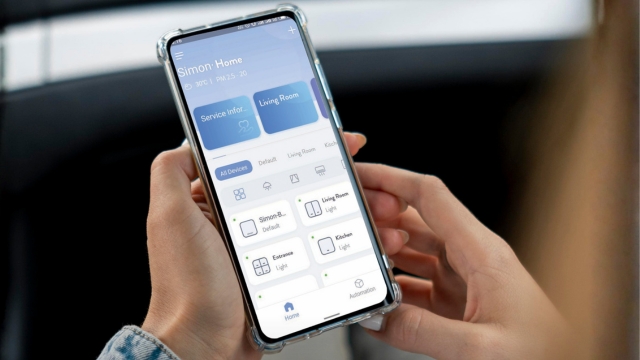
At a glance: inputs such as apps, switches, sensors and schedules send instructions. A gateway or network carries those instructions. Compatible devices perform the action.
FROM COMMAND TO ACTION
How a Smart Home Works
A well-planned system has four simple layers. Each layer must be compatible with the others.
1. Input
Wall controls, apps, voice commands, sensors and schedules start an instruction.
2. Connection
Zigbee, Wi-Fi or another supported protocol carries the instruction.
3. Control
A gateway, app platform or local controller applies the programmed logic.
4. Action
Compatible lights, curtains, locks, alerts or scenes perform the result.

CHOOSING A CONNECTION
Zigbee vs Wi-Fi for Smart Homes
The protocol affects reliability, coverage, battery life, capacity and how devices communicate. The correct choice depends on the function, property and selected ecosystem.
Zigbee is often useful for many low-power devices and repeated automation. Wi-Fi is common in cameras and products that connect directly to the router.
Planning point
Zigbee
Wi-Fi
Connection
Uses a compatible gateway
Connects to the Wi-Fi router
Network style
Low power mesh network
Depends on router and Wi-Fi coverage
Common role
Switches, sensors and repeated automation
Cameras and selected standalone devices
Scaling
Plan gateway capacity and device range
Plan router capacity, signal and bandwidth
Internet loss
Supported local actions may continue
Behaviour depends on the product and cloud service
WHY PEOPLE AUTOMATE
Benefits of Smart Home Automation
The strongest benefits come from useful routines and correct planning – not from adding technology without a clear purpose.
Comfort
Control everyday functions without moving between rooms or repeating the same actions.
Energy Management
Use schedules and occupancy rules to reduce avoidable operation of selected loads.
Safety Awareness
Receive supported alerts and check connected sensors, cameras or access devices.
Accessibility
Give children, older people or users with limited mobility simpler control options.
Consistent Routines
Repeat morning, away, evening and bedtime actions at the right time.
Expandability
Start with priority spaces and add compatible functions when the plan allows it.
REAL USE CASES
Smart Automation by Room
Plan around activities, not only devices. A good scene combines the few actions that make a room easier to use.

Living Room
Create TV or movie scenes, dim compatible lights and close curtains with one action.
Kitchen
Use task lighting, occupancy-based actions and compatible safety sensors where suitable.
Bedroom
Use bedside control, morning schedules and a single bedtime scene for selected devices.
Entrance
Coordinate selected access, entry lighting, cameras and away routines.
Home Office
Set work lighting, comfort routines and an end-of-day shutdown scene.
Curtains & Windows
Open or close compatible motorised curtains by time, scene, wall control or app.
INSTALLATION APPROACH
New Home or Existing Home?
Both are possible, but the planning method is different.
New Construction or Renovation
Early planning gives more control over wiring, switch boxes, network points and equipment locations.
- Define rooms, loads and scenes before electrical work
- Confirm neutral wiring and switch-box depth
- Reserve gateway and network locations
- Coordinate lighting, curtains, HVAC and access
- Label circuits and document the finished system
Existing Home or Office
A site survey helps identify which functions can be added cleanly and where changes may be required.
- Inspect wiring, neutral availability and connected loads
- Check wall-box size and available installation space
- Measure Wi-Fi and Zigbee coverage
- Start with high-value rooms or routines
- Test each device and retain normal manual control
BUDGET PLANNING
Smart Home Automation Cost in Pakistan
There is no responsible one-price answer for every property. A room with one smart switch is different from a complete house with lighting, curtains, sensors, security and several scenes.
Use these factors to prepare a clear brief. Then request a project quotation based on actual quantities and site conditions.
Rooms and Zones
More rooms and separately controlled zones increase device and programming requirements.
Functions
Lighting, curtains, sensors, locks, cameras and integrations have different hardware needs.
Protocol and Gateway
Gateway type, capacity, network equipment and coverage affect system design.
Wiring Condition
Existing wiring, neutral conductors, box depth and connected loads may require changes.
Installation
Labour, testing, scene programming and handover depend on project complexity.
Compatibility
Third-party integrations may need extra hardware, setup or specialist coordination.
BEFORE YOU BUY
Smart Home Planning Checklist
Follow this order to reduce rework and make the final system easier to use.
01
Define the goal
List the problems or routines you want to improve. Avoid choosing devices before deciding the result.
02
Map rooms and functions
Record lights, curtains, access points, sensors and other loads for every priority space.
03
Inspect the site
Check wiring, switch boxes, loads, network coverage, gateway position and installation access.
04
Choose the system
Confirm protocol, gateway capacity, product compatibility, app functions and future expansion.
05
Plan scenes
Write clear actions for morning, away, return, evening, movie and bedtime routines.
06
Install and test
Commission each device, test manual control, automation, internet-loss behaviour and user access.
07
Document and expand
Keep device names, circuit details, account ownership and future capacity in a handover record.
FROM GUIDE TO PROJECT
Plan with Simon Smart Home and Ecolux
When you are ready to select products, the Simon Smart Home Products page brings the commercial information together. Explore the categories, compare the system options and send your project requirements to Ecolux.
- Simon switches, gateways, curtain controls, sensors, locks and connected devices
- Project-based product guidance for homes, offices and developments
- A clear route from automation plan to product quotation

COMMON QUESTIONS
Smart Home Automation FAQs
Practical answers for planning a connected home in Pakistan.
Common functions include lighting, curtains, selected air-conditioning controls, sensors, cameras, door locks, schedules and multi-device scenes. The exact options depend on product compatibility and the site.
No. It can be planned for a new project or added to an existing home. Existing homes need a site check for wiring, neutral availability, switch-box depth, connected loads and network coverage.
Zigbee is a low-power mesh protocol that normally uses a compatible gateway. Wi-Fi devices connect through the router and are useful for selected standalone products such as cameras. A project can use both.
Wall controls and supported local Zigbee actions may continue without internet. Remote access, cloud notifications and voice-assistant services normally require an active internet connection.
Automation can help avoid unnecessary use through schedules, occupancy-based actions and easier control. Actual savings depend on the loads, routines, settings and user behaviour.
Many systems allow authorised household members to use the app. User access, permissions and account-sharing options should be confirmed for the selected platform.
Yes, when capacity, compatibility, network coverage and future requirements are considered during planning. Start with priority rooms and leave a clear path for additions.
There is no single price. Cost depends on rooms, device count, functions, protocol, gateway, wiring condition, installation, programming and integration requirements. A site-based quotation is the most reliable method.
Confirm the desired functions, connected loads, wiring and neutral conductors, box sizes, internet and Wi-Fi coverage, gateway position, device compatibility and who will commission the system.
Visit the Simon Smart Home Products page for product categories, system options and project enquiries.
Continue Exploring Simon
Move from learning to product selection, or explore the wider Simon electrical range.